
DocsCode and infrastructure
Pull requests and fixes
Fix findings with one pull request, check every pull request for new risks and cost, and change infrastructure from the diagram in plain words.
OpsNexa Online never pushes to your branches. Every change it makes is a pull request (or merge request on GitLab) that your team reviews and merges, with your own checks running first.
Fix findings with a pull request
- Open a repository’s Findings.
- Select one or more findings and press Fix.
- OpsNexa Online edits the files (Terraform, Dockerfiles, Kubernetes YAML with comments kept, workflows including pinning actions to commits) and shows you the diff.
- Press Open pull request. OpsNexa Online pushes a branch and opens it.
Merged fixes turn the findings fixed on the next check. No write access? Press Download patch instead and apply it yourself.
Every pull request checked
Every pull request on a repository you’ve added gets:
- new risks it brings in, and risks it fixes;
- the monthly cost change;
- the resources it adds, changes and removes;
- for shared code and monorepos, every place that uses what it changes (see Systems).
They’re posted as a comment and a commit status on GitHub or GitLab, and listed on the repository’s Pull request checks tab.
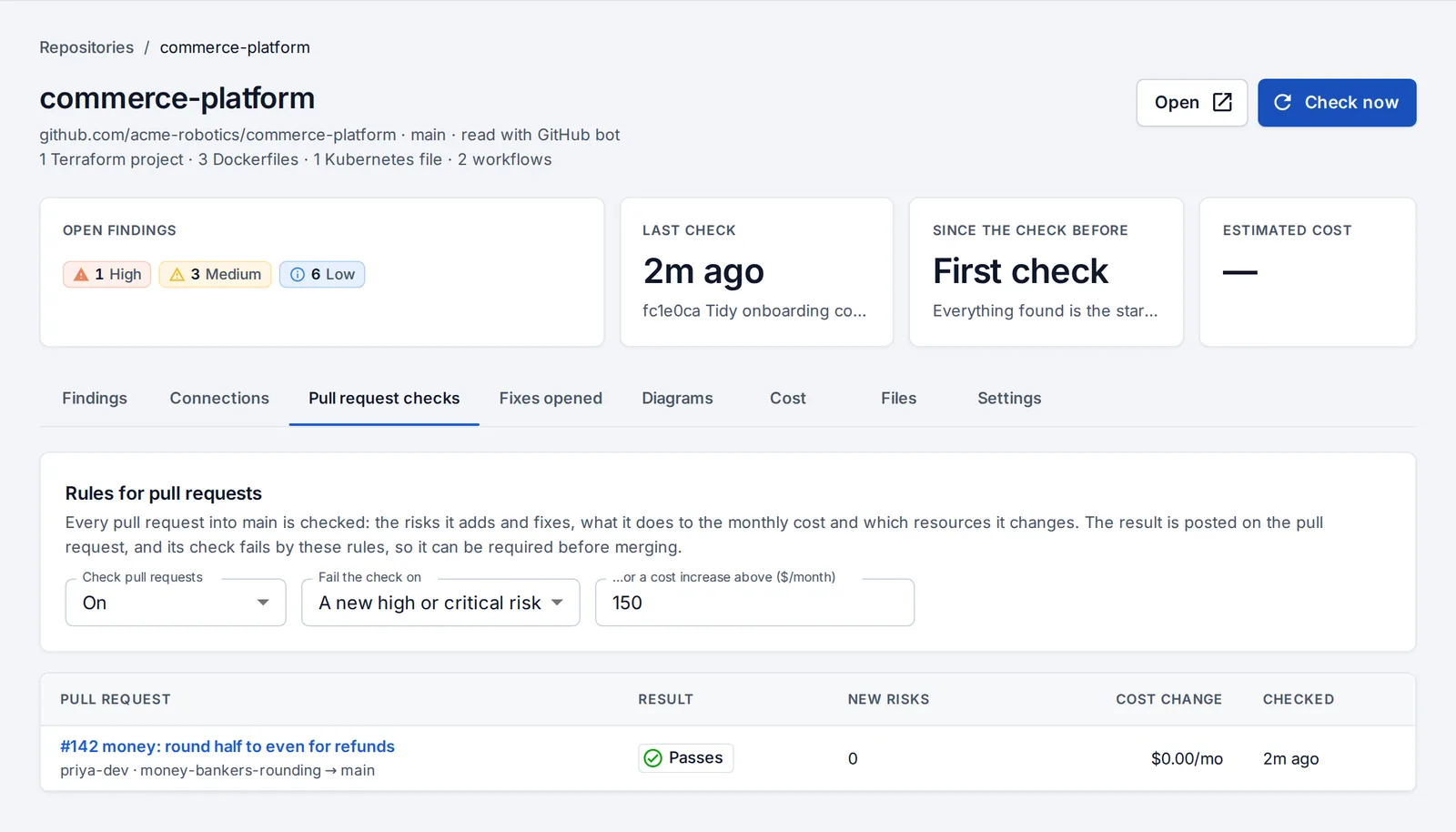
Under the repository’s Settings, decide when a check should fail: on critical or high risks, and above a monthly cost increase.
Change infrastructure from the diagram
On a repository’s Diagrams tab, describe what you need in plain words, or click a resource and change one of its settings:
- “Make the production database bigger”
- “Keep database backups for 14 days”
- “Add a Redis cache for the shop”
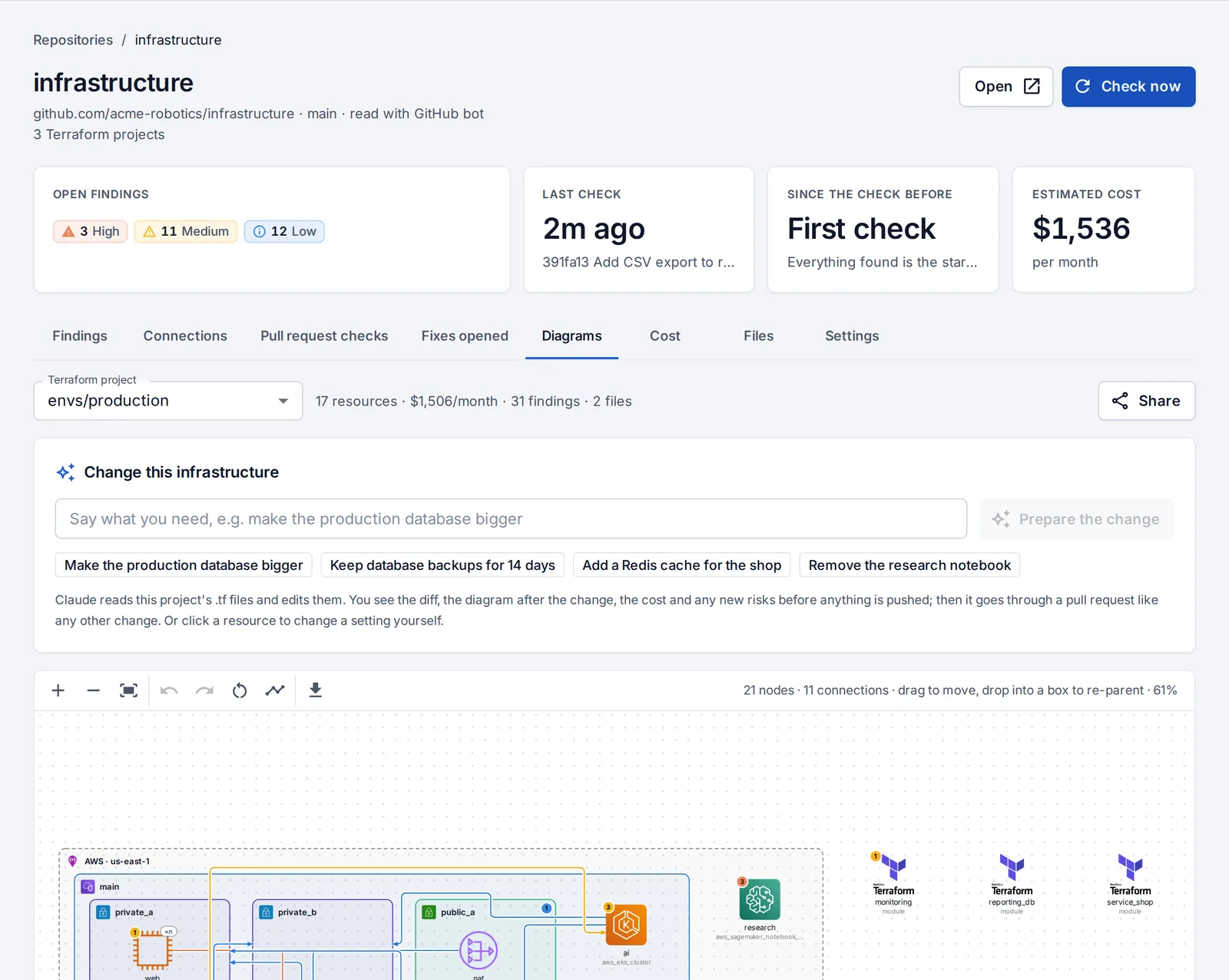
Either way you see the diff, the diagram after the change with added and changed resources marked, the cost before and after, and any new risks. Then open the pull request.
If the files changed on the branch since your preview, OpsNexa Online asks you to make the change again rather than overwrite someone’s work.
Generators
Generators fill templates in from your apps (a CI/CD pipeline, Dockerfiles, a hardened Kubernetes app, GPU inference, a RAG stack, an MCP server, an LLM eval gate) and add them to a repository as a pull request. Every template passes OpsNexa Online’s own checks.
Something unclear or missing? Tell us, or press the ? at the top of OpsNexa Online for the guide and tours inside the product.