
DocsGetting started
Your first hour
From signing up to a live app and your team invited. The checklist on Home follows the same steps.
This page follows the setup checklist you see on Home after signing up. Each step takes a few minutes. You can do them in any order, skip the optional ones, and come back later: the checklist remembers what’s done.
1. Sign up
Open the sign-up page and fill in your company’s name, the address you want (yourcompany.opsnexa.online), your name, work email and a password.
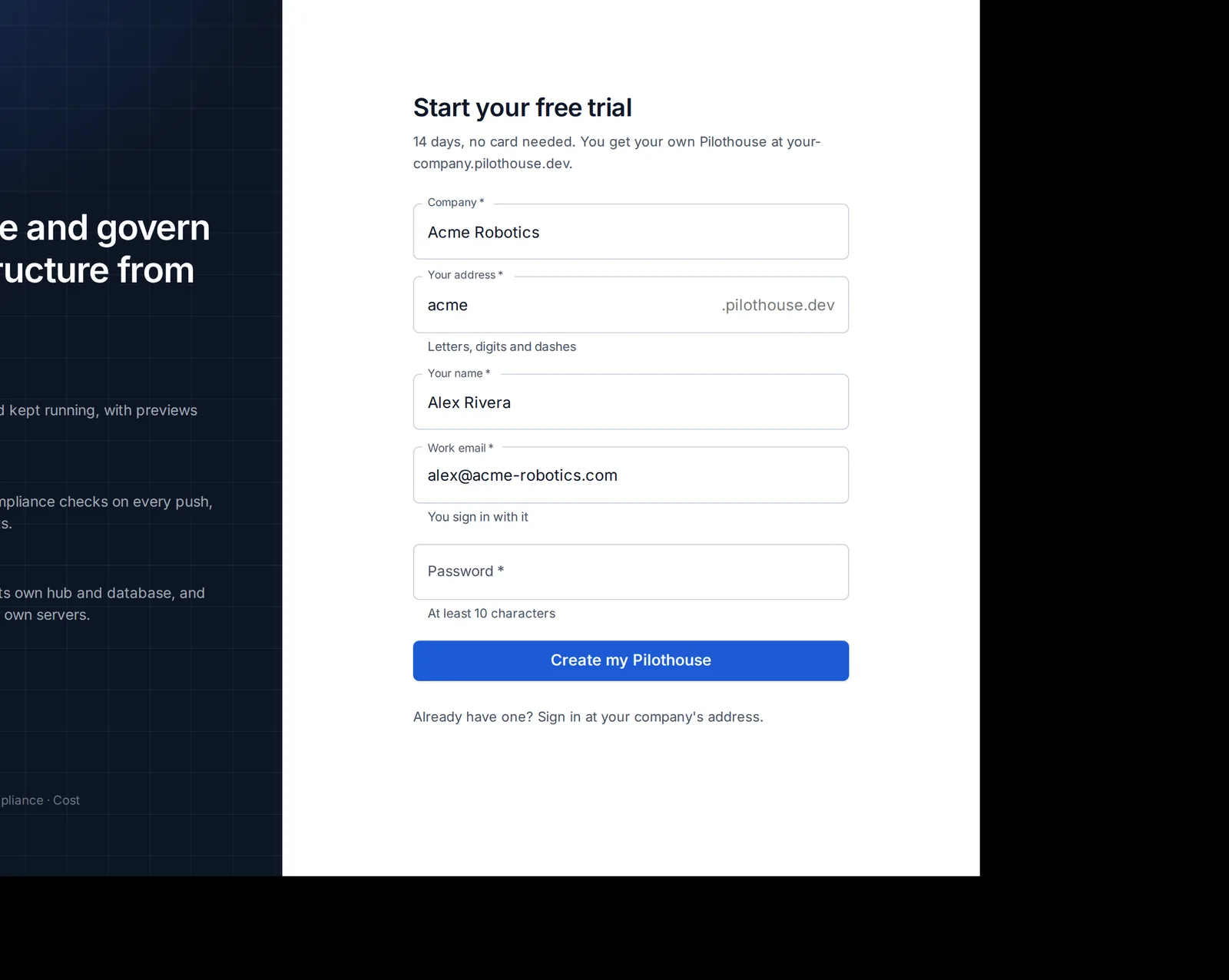
- Press Create my OpsNexa Online.
- Confirm your email address with the link we send you.
- About a minute later your OpsNexa Online is ready, and you’re signed in as its first admin.
The trial lasts 14 days and needs no card. See Plan and billing for what happens after.
2. Connect a server or cluster
OpsNexa Online runs your apps on your own machines. Connect one:
- A server: any Linux machine with Docker, reached over SSH. A small cloud VM is plenty to start. See Connect a server.
- A Kubernetes cluster, if you already have one. See Kubernetes.
- Machines without a public address (in your office or a private VPC) work too, through a private network agent.
3. Deploy your first app
Go to Apps → New app, paste a repository link and follow the four steps. OpsNexa Online works out how to build it. A few minutes later it has its own address. See Deploy an app.
4. Connect GitHub or GitLab
Install the OpsNexa Online GitHub App on your organization (recommended), or add a token for GitHub, GitLab, Gitea or Bitbucket. Private repositories can then be deployed, and every push redeploys and is checked. See Git accounts and the GitHub App.
5. Add your repositories
Under Repositories → Add repository, pick the repositories that hold your infrastructure code: Terraform, Kubernetes files, Dockerfiles and pipelines. They’re checked on every push, with their monthly cost. See Repositories and checks.
6. Invite your team
Under Users → Invite people, enter email addresses and pick a role. Each person gets a link to choose a password or sign in with single sign-on. See Invite your team.
7. Get told when something breaks
Under Notifications, add a Slack or Discord channel, an email address or a webhook, and pick what it hears about: failed deploys, apps going down, leaked keys, the weekly summary. See Monitors and notifications.
Optional: reach machines in your own network
If some servers, clusters or git servers have no public address, add a private network under Connections and run the small agent there. See Private networks.
When you’re done
The checklist disappears from Home once every step is done (or when you hide it). People you invite never see it: they get a short welcome that says what their role can do, with a link to the guide. See The guide and tours.
Something unclear or missing? Tell us, or press the ? at the top of OpsNexa Online for the guide and tours inside the product.