
DocsPeople and access
People and access
Everyone’s accounts on every platform in one list per person, with daily scans for risky access.
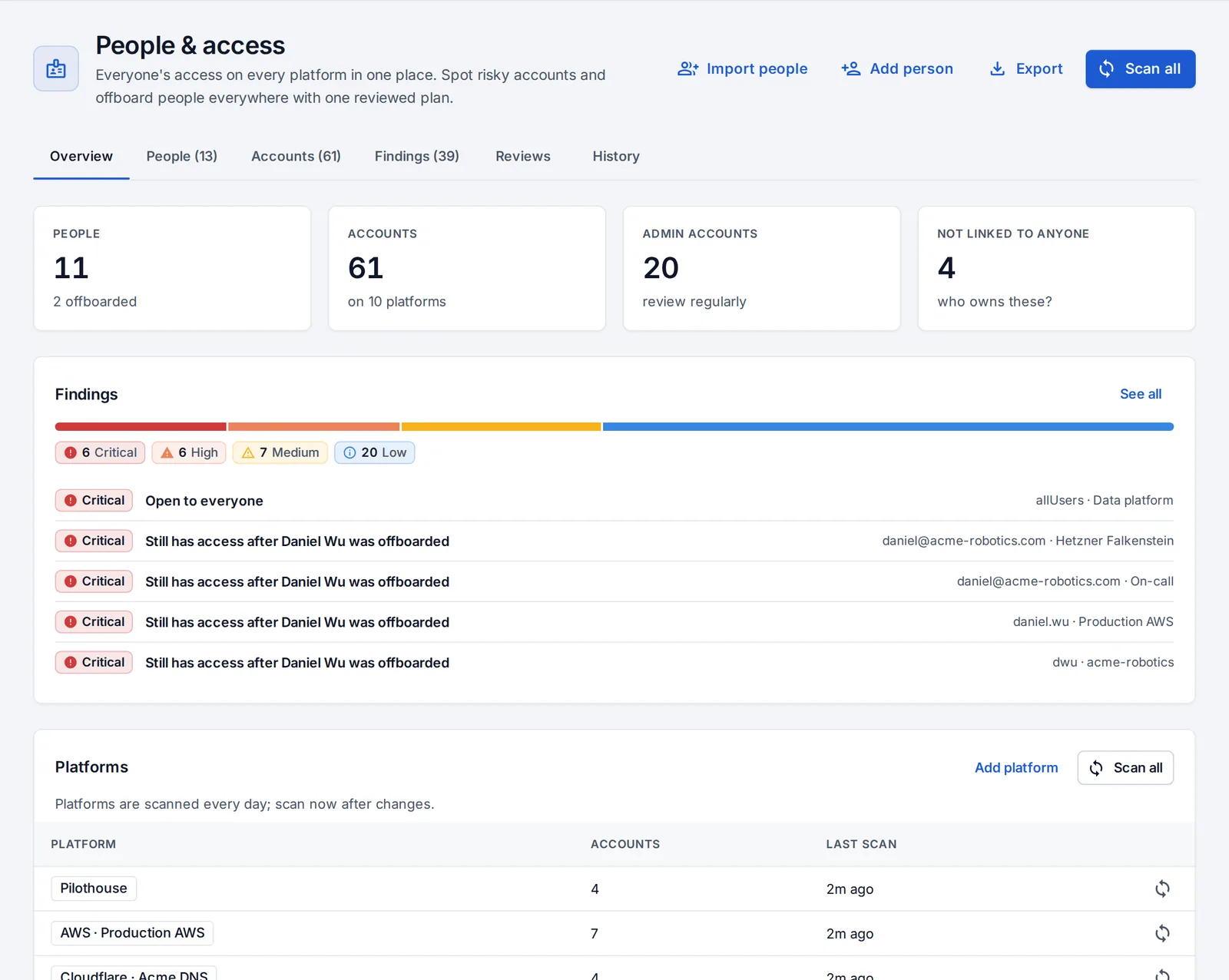
People & access (admins) shows everyone’s accounts on every connected platform, matched to the person they belong to.
| Platform | What’s reviewed |
|---|---|
| GitHub organizations and GitLab groups | Members, owners, outside collaborators, invitations, two-factor status |
| AWS, Google Cloud, Azure | IAM users, roles and access keys |
| Kubernetes clusters | Role bindings |
| Servers | Accounts, sudo, SSH keys |
| Cloudflare, Grafana, Sentry, PagerDuty | Members and their roles |
| OpsNexa Online itself | Accounts and roles |
Set it up
- Connect platforms under Connections → Platforms for People & access. Each form lists the minimum permissions it needs. Servers and Kubernetes clusters you already deploy to are reviewed too.
- Set your company email domains, so OpsNexa Online knows who’s one of you.
- Press Scan all.
- Press Import people: people are created from OpsNexa Online accounts and company emails found on the platforms.
- Accounts are matched to people by email and username. Fix the rest from the Accounts tab.
What’s flagged
Platforms are scanned daily. The Findings tab lists:
- access open to everyone (like a role binding for all users);
- people who left but still have access somewhere;
- admins without two-factor sign-in;
- inactive accounts and old access keys;
- outside collaborators, and accounts nobody owns.
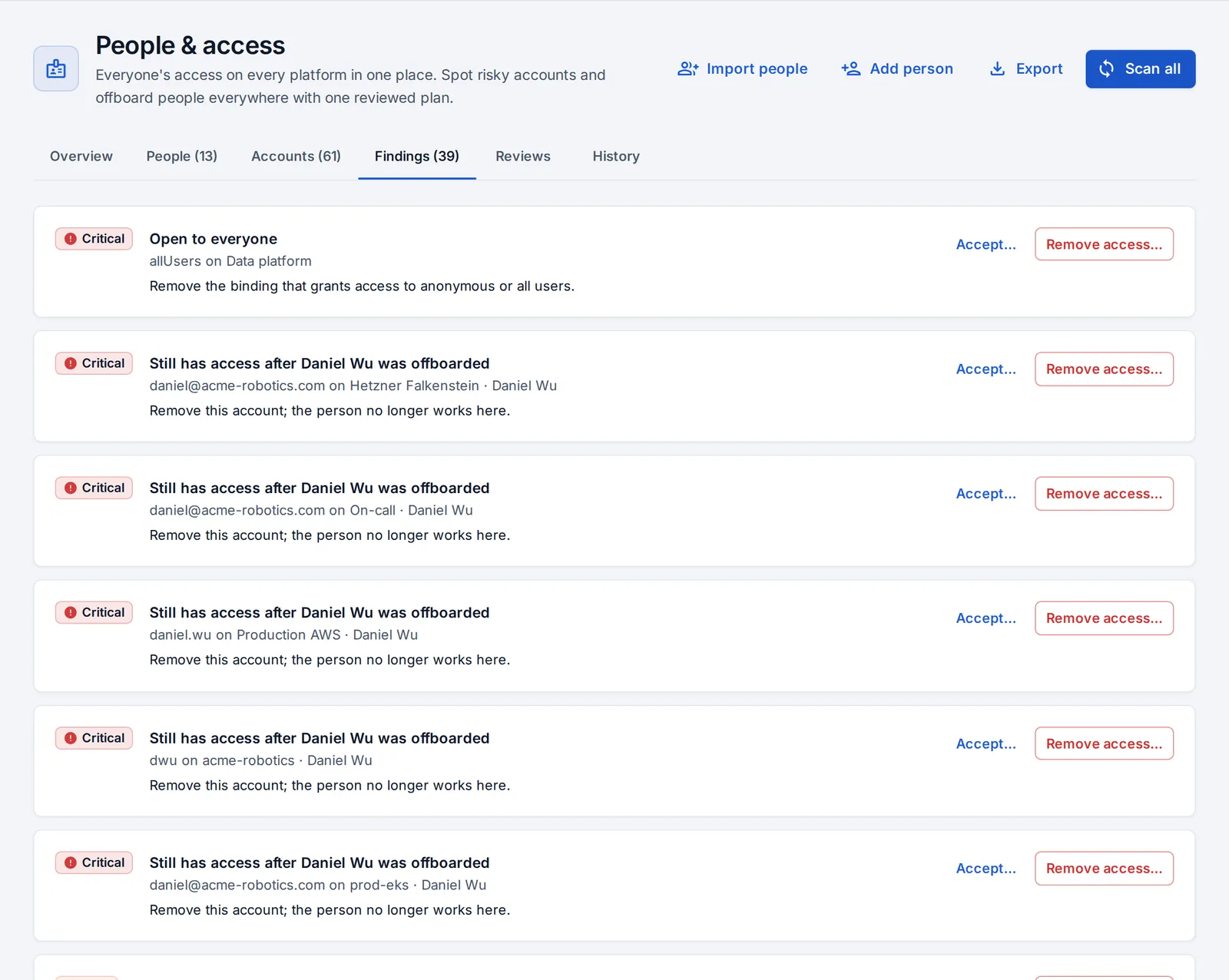
Each finding says what to do. Remove access builds a removal plan to confirm; Accept (with a reason) records an exception for the auditors.
A person’s access
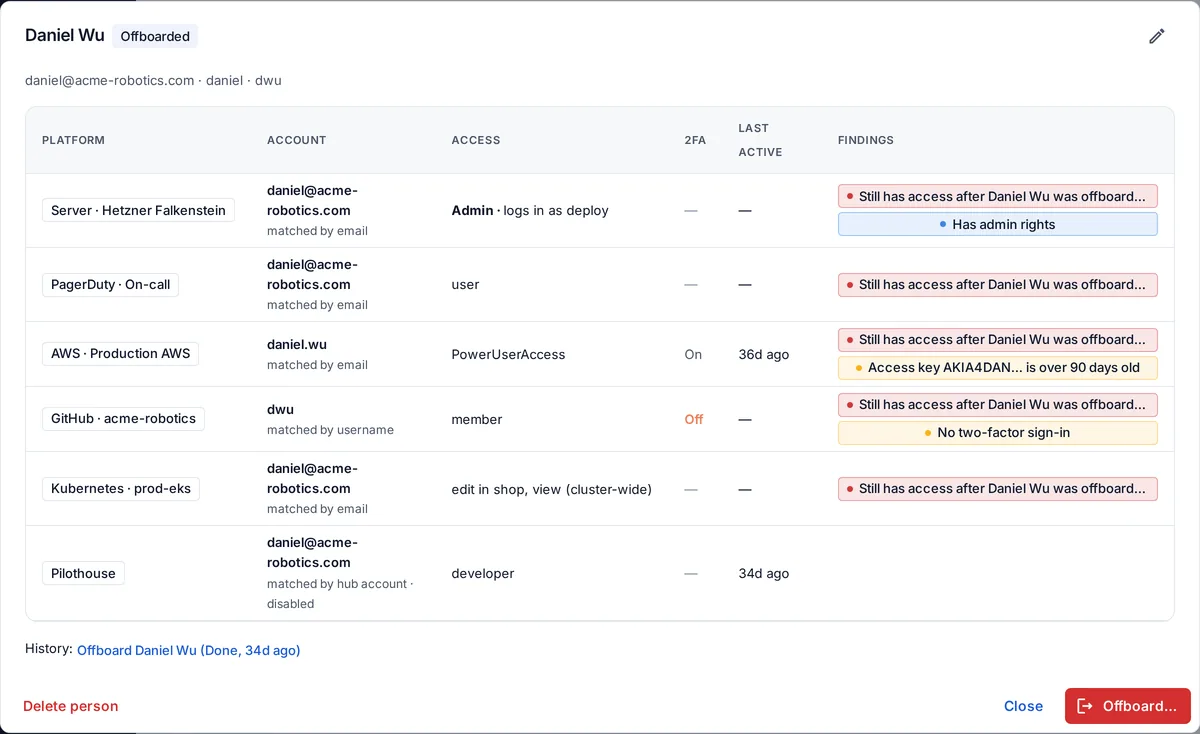
Open a person to see every account they have, on every platform, with their access, two-factor status, when they were last active and any findings.
Exports
For audits (SOC 2, ISO 27001), Export gives:
- a printable access review: platforms reviewed, open findings, accepted exceptions with their reasons, admin access, leavers and whether they kept access, and every removal with who confirmed it;
- all access as CSV;
- the removal log as CSV.
Something unclear or missing? Tell us, or press the ? at the top of OpsNexa Online for the guide and tours inside the product.