
DocsOperate
AI on-call
When an app breaks, the AI on-call finds the root cause from logs, changes, health numbers and code, and proposes fixes you approve with one click.
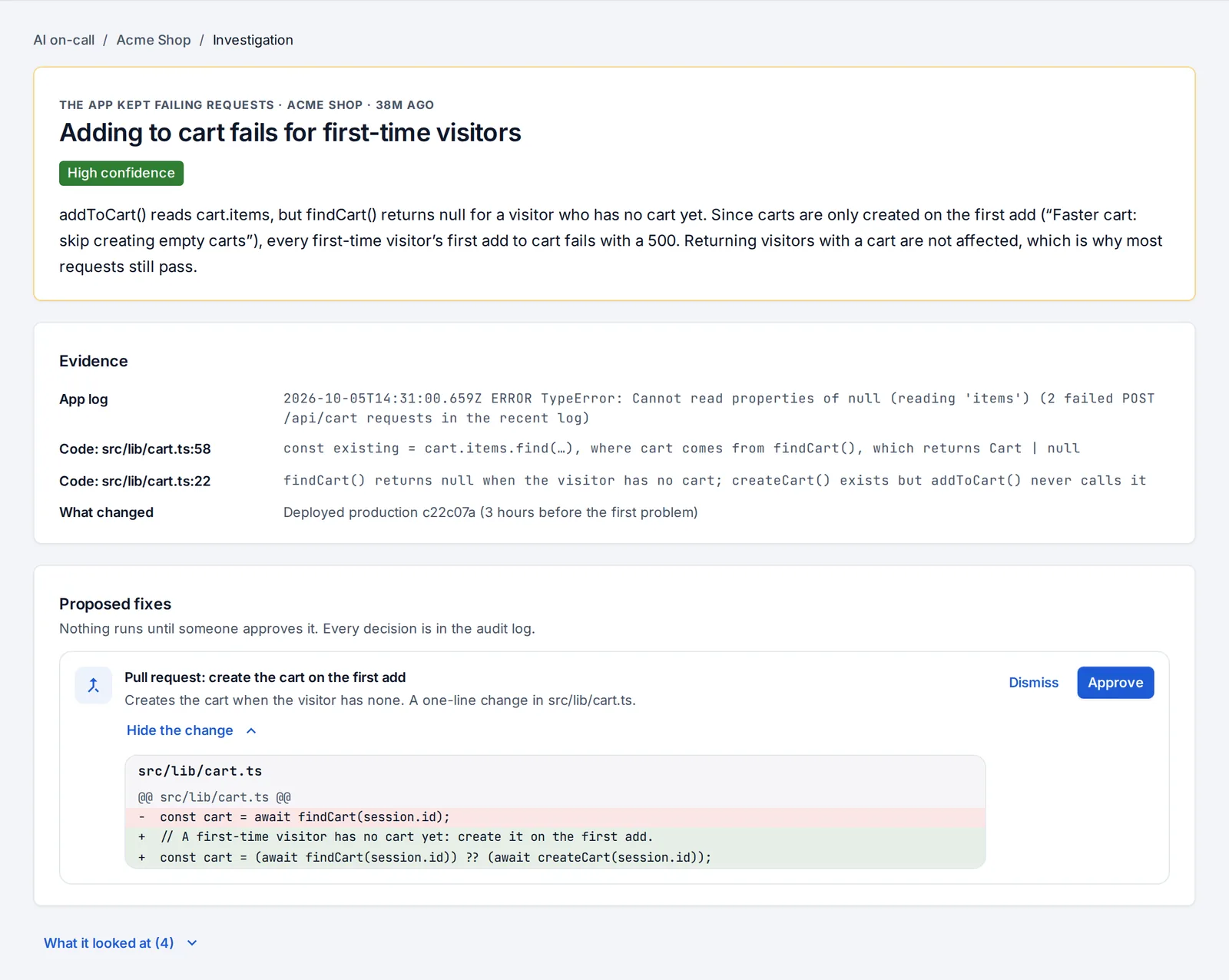
When a production deploy fails, an app goes down or keeps failing requests, the AI on-call investigates it the way an engineer would. It reads the evidence, writes down the most likely root cause and proposes fixes. Nothing changes until someone approves a fix.
When it investigates
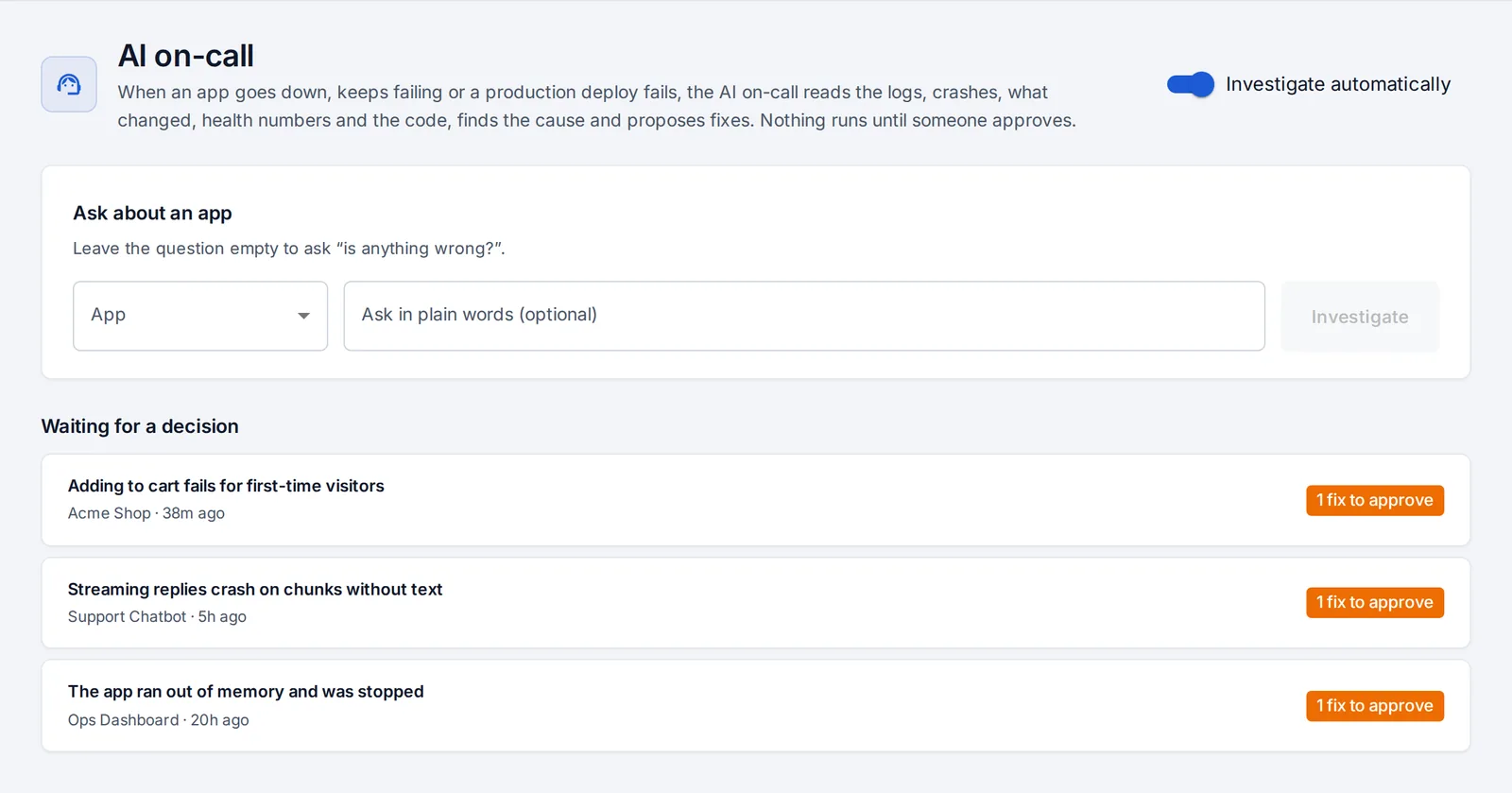
It starts by itself when:
- a production deploy fails,
- an app goes down or keeps crashing,
- an app keeps failing requests.
It looks at each app at most once every 30 minutes, so a crash loop doesn't start a new investigation every minute. You get the “The AI on-call found the cause of a problem” notification with a link (pick it per channel under notifications).
You can also ask it at any time, from AI on-call in the sidebar or the AI on-call card on an app’s overview. Leave the question empty to ask “is anything wrong?”, or write it in plain words: “why do checkouts fail since this morning?”.
What it looks at
- The failed deploy’s log and the built-in explanation of it.
- The latest crash: its log, exit code and whether it ran out of memory.
- What changed in the 24 hours before the problem, most likely cause first (see What changed).
- Health numbers: requests, failed requests, response times, memory.
- The app’s settings: names only, and settings the code reads that are missing.
- The code at the version that runs: it lists, reads and searches the app’s repository.
Every investigation lists what it looked at, under What it looked at.
What you get
- The root cause, in a few plain sentences.
- How sure it is: high, medium or low. When it isn’t sure, it says what to check next.
- The evidence for every claim: the log line, the change, the file and line.
- Proposed fixes, best first.
| Fix | What happens when you approve it |
|---|---|
| Roll back | The version before the problem goes back into production in seconds. Nothing is rebuilt. |
| Restart | Production restarts on the version it runs. |
| Add or change a setting | You enter the value (it is stored as a secret), and production restarts with it. |
| More memory | The app’s memory limit goes up, and production restarts with it. |
| Redeploy | The branch deploys again. With production approval on, it still waits for an approver. |
| Pull request | A branch with the exact code change is pushed and a pull request opened in the app’s repository, for your team to review and merge. Open Show the change to see the diff first. |
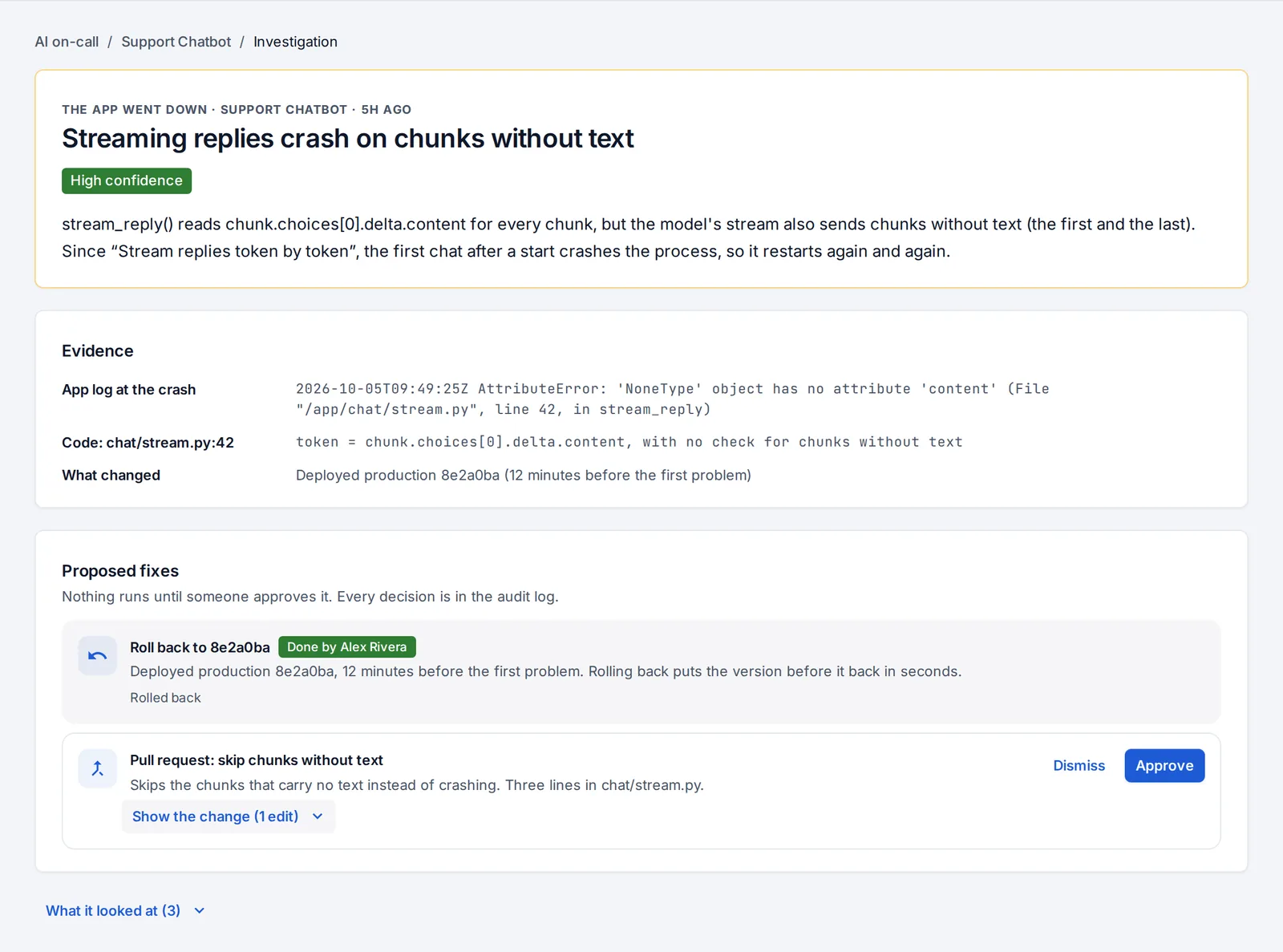
Developers and admins approve or dismiss fixes; testers can read investigations. With team permissions on, developers approve fixes only for their teams’ apps. Every decision is in the audit log, with who approved it.
Claude or the built-in rules
With an Anthropic API key on your OpsNexa Online, Claude investigates. It uses read-only tools over the evidence above and reads the code. Its proposals are checked before you see them: a rollback must name a version that ran, a setting must have a valid name, and a code edit must match a file in the repository.
Without a key, or if Claude can’t answer, the built-in rules investigate from the same evidence. They recognise missing settings, failed builds, out-of-memory crashes and bad deploys, and propose the same kinds of fixes. Each investigation says which one investigated.
From your AI assistant
Assistants have investigate_app (“why is the shop failing?”), get_investigation and apply_fix, which runs a fix only after you approve it in your assistant. See AI assistants.
Something unclear or missing? Tell us, or press the ? at the top of OpsNexa Online for the guide and tours inside the product.