
DocsOperate
Infrastructure drift
See what was changed by hand behind Terraform’s back, and what was merged but never applied, setting by setting.
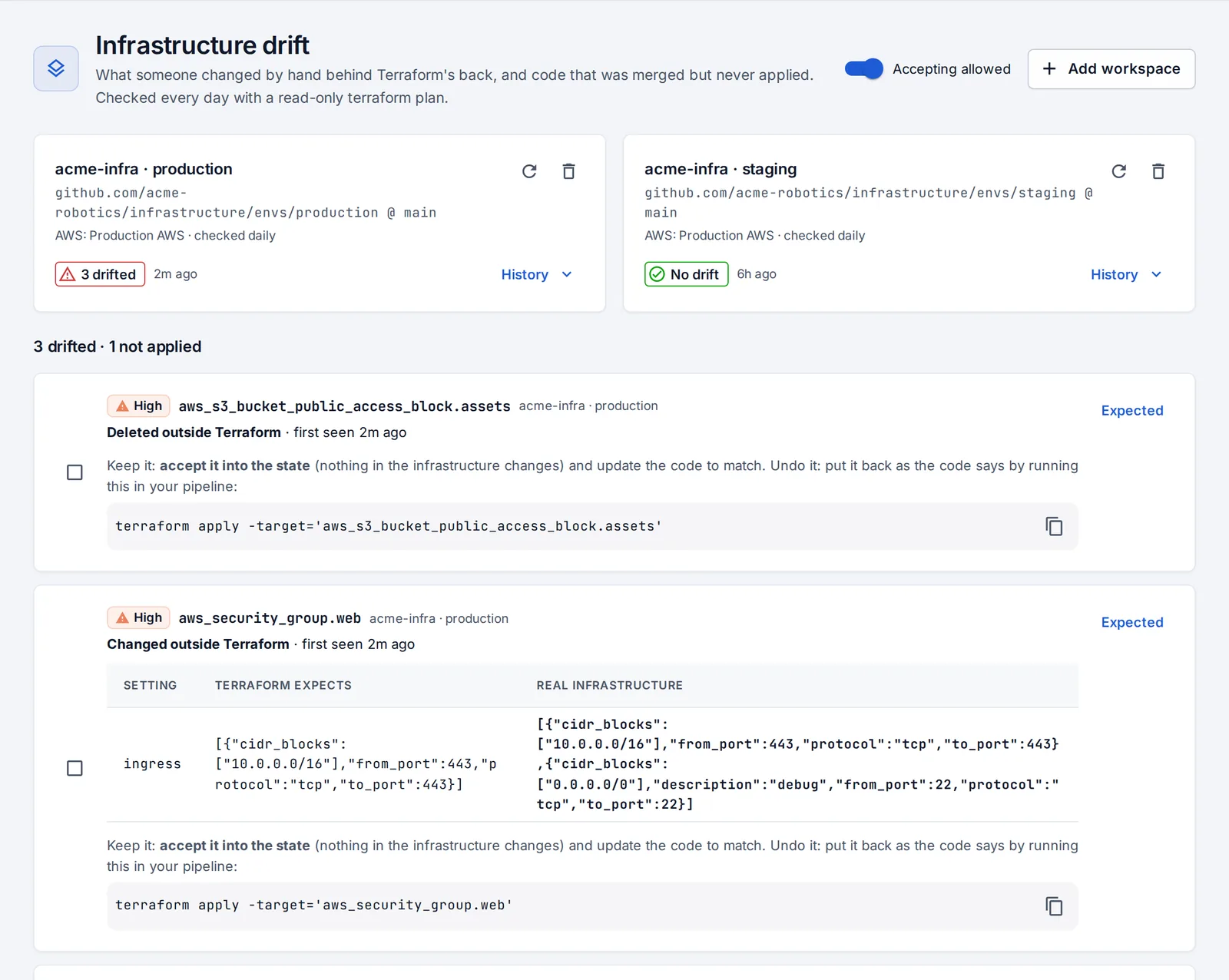
Infrastructure drift watches your Terraform and runs a read-only terraform plan on a schedule and on demand. It shows:
- drift: resources changed or deleted by hand, with each changed setting (what Terraform expects next to what’s really there; sensitive values masked). Security groups, IAM, public-access blocks and deletions count as high severity, and new drift sends a notification;
- code not applied: changes merged into the code that were never applied.
Add a workspace
Admins add workspaces:
- Press Add workspace.
- Pick the repository, branch and folder of the Terraform project.
- Give it credentials: an AWS connection and/or extra variables stored encrypted (
TF_VAR_*,ARM_*,GOOGLE_CREDENTIALS…). The repository uses its own state backend.
Deal with drift
For each drifted resource, choose:
- Accept it into the state: once an admin turns on Accepting allowed, OpsNexa Online runs a targeted refresh-only apply that changes only the state, after keeping a copy. Undo puts the copy back unless something else wrote to the state since.
- Put it back as the code says yourself: OpsNexa Online shows the
terraform apply -target=…command to run in your own pipeline. It never changes real infrastructure here. - Mark as expected (with a reason): drift that’s supposed to happen, like autoscaling.
Something unclear or missing? Tell us, or press the ? at the top of OpsNexa Online for the guide and tours inside the product.